



Every time someone builds a new PC and lands on a Zotac GPU in their budget range, the same question pops up: is this actually a solid brand, or am I cutting corners? It’s a fair thing to ask. Zotac doesn’t carry the same instant name recognition as ASUS or MSI, and the lower price tags on many of their cards naturally make people suspicious.
The short answer is yes, Zotac is a legitimate GPU brand with real strengths and real weaknesses. But that answer deserves a lot more context, because whether Zotac is the right choice for you depends entirely on what you’re prioritizing. This blog walks through everything you need to know before spending your money.
A Quick Background on Zotac as a Brand
Zotac was founded in 2006 and is headquartered in Hong Kong. Unlike some GPU brands that dabble in graphics cards as one of many product lines, Zotac built its identity specifically around GPUs and compact computing hardware. They’re an official NVIDIA AIB (Add-in Board) partner, which means they manufacture custom versions of NVIDIA GeForce cards, the same chips used by ASUS, MSI, and Gigabyte and design their own coolers, PCBs, and factory overclocks around them.
What Zotac is arguably best known for is its compact GPU lineup. Their twin-fan and mini-ITX form-factor cards have made them a go-to brand for small form factor PC builders who need a capable GPU that actually fits inside a tiny case. That niche alone has built them a loyal community that’s stuck with the brand across multiple GPU generations.
How Does Zotac Actually Perform?
Here’s what matters most to most people, and the answer is straightforward. Since Zotac uses the same NVIDIA GPU dies as every other AIB partner, raw performance differences between a Zotac card and an equivalent MSI or ASUS card are minimal. You’re working with the same underlying silicon. The differences come down to factory clock speeds, power limits, and cooling headroom.
Zotac’s AMP series cards often carry modest factory overclocks that push performance slightly above the reference spec. Their higher-end AMP Extreme models deliver clock speeds and thermal headroom that are genuinely competitive with premium offerings from other brands. The RTX 5090 Solid, for instance, received strong reviews for delivering top-tier Blackwell architecture performance with powerful and quiet cooling, proof that Zotac’s flagship products can go toe-to-toe with anything else on the market.
Where performance gaps appear is typically in sustained workloads. If a card’s cooling solution can’t maintain temperatures under heavy load, the GPU throttles itself to stay within thermal limits and that’s where budget-tier Zotac models sometimes fall behind premium ASUS TUF or MSI Gaming Trio cards that have more aggressive cooling setups.
Build Quality: What You’re Actually Getting
This is where Zotac divides people. The brand occupies a middle ground that can feel inconsistent depending on which tier of card you’re buying.
Their entry-level and mid-range twin-fan cards are solidly built for the price; they don’t feel cheap or flimsy, and they’ve proven reliable for plenty of users across years of gaming. However, compared to ASUS’s military-grade capacitors and MSI’s premium backplates and triple-fan shrouds on equivalent price points, some Zotac cards feel like they prioritized cost efficiency over the premium finish. That’s not necessarily wrong; it’s a value trade-off, but it’s something worth knowing upfront.
Their higher-end lineup tells a different story. Zotac’s AMP Extreme and Solid series cards use better materials, more robust heatsinks, and more substantial PCB layouts. If you’re buying a Zotac at the upper end of their range, build quality concerns largely disappear. The problem is that some buyers compare an entry-level Zotac to a premium ASUS card and draw conclusions that don’t apply fairly to either product.
Cooling Performance: Zotac’s IceStorm System Explained
Zotac’s proprietary cooling solution is called IceStorm. It uses a combination of aluminum heatsink fins, copper heat pipes, and dual or triple fan setups depending on the model. For their compact cards, the cooling engineering is genuinely impressive, fitting adequate thermal management into a dramatically reduced footprint is a non-trivial engineering challenge, and Zotac handles it better than most brands in that specific space.
For their standard-sized cards, IceStorm cooling performs well under typical gaming loads but can run a few degrees warmer than the class-leading cooling found on MSI’s TORX fan setups or ASUS’s Axial-Tech fan designs under extreme sustained workloads. The difference in real-world gaming is rarely meaningful; we’re often talking single-digit temperature differences that don’t affect longevity or performance for most users. It becomes more noticeable only if you’re doing extended GPU-intensive work like 3D rendering or heavy video encoding for hours at a time.
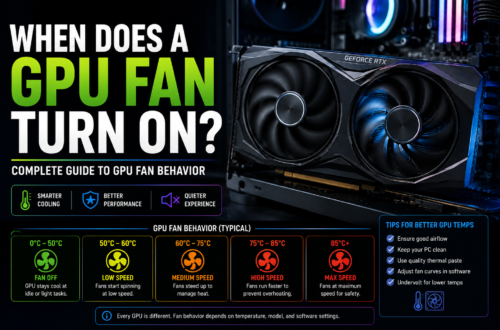
One feature worth calling out: Zotac’s higher-end models include a fan-stop mode, where the fans turn off completely at low temperatures. This makes the card completely silent during web browsing, light desktop use, or anything that doesn’t push the GPU hard. It’s a genuinely nice feature that premium users appreciate.
Zotac’s Compact and Mini-ITX GPU Lineup
This is where Zotac has a genuine competitive advantage that no other brand matches as consistently. If you’re building a small form factor PC, whether a mini-ITX gaming rig or a home theater PC where space is limited, Zotac’s compact dual-fan cards are often the best or only viable option at a given performance tier.
Other brands make compact cards, but none have built the same breadth of small-form-factor options across multiple GPU generations the way Zotac has. For the SFF PC building community, Zotac isn’t just a budget alternative; it’s often the first choice, regardless of price.
The Warranty and Customer Support Question
This is the most honest part of this review, and it’s where you need to pay careful attention before buying.
Zotac’s standard warranty is two years, with the option to extend it to five years in some regions by registering your product on their website within 30 days of purchase. On paper, that’s competitive. In practice, the warranty experience varies dramatically depending on your region and who you reach out to.
Some users have reported smooth, fast RMA experiences; one German user had a faulty 3090 replaced within a week with excellent communication throughout. But other users have reported long delays, a lack of follow-up, and in some cases, outright denied warranty claims on relatively new cards. A notable incident in late 2025 involved Zotac rejecting a warranty claim on a three-month-old RTX 5070 Ti over cited PCB scratches, a decision that generated significant community backlash and raised questions about how they handle edge cases.
The support experience also varies significantly by region. European support has received mixed feedback, with some users waiting weeks with minimal communication. North American support tends to be more responsive, though it’s not without its own inconsistencies. The bottom line is that if post-purchase support and a bulletproof warranty experience are priorities for you, brands like ASUS, which offer up to five years as standard on some ROG models, have a more reliable track record here.
Zotac vs. the Competition: Where Does It Actually Stand?
Compared to ASUS, Zotac generally comes in cheaper for equivalent GPU performance. ASUS brings better build materials, more robust cooling on its high-end lines, and a stronger overall support reputation,m but you pay a meaningful premium for those benefits.
Compared to MSI, the gap is smaller. Both brands target similar price points on many models, and performance is close enough that the decision often comes down to specific card design, cooling preference, or whatever is available at the time of purchase.
Compared to Gigabyte, Zotac holds up well. Gigabyte’s higher-end 30-series cards developed a concerning reputation for fan failures and reliability issues, and while their 40 and 50-series products have improved, Zotac has generally held a more consistent reliability record in that comparison.
The honest positioning is this: Zotac is a solid mid-tier brand. Not budget trash, not premium royalty. Reliable enough for most people, great value for SFF builders, weaker on customer support compared to the best in class.
Should You Buy a Zotac GPU?
If you’re building a small form factor PC, Zotac is an easy recommendation. Nobody does compact GPUs as well across as wide a range of performance tiers. For standard builds, Zotac makes sense if the price difference over an MSI or ASUS equivalent is significant and the specific card model has good user reviews. Always check reviews for the exact model you’re buying, not just the brand. Individual card models can vary in quality even within the same lineup.
If warranty and long-term support peace of mind are important to you, consider paying the premium for ASUS or MSI instead. The extra cost buys you more than hardware; it buys better odds of a smooth experience if something goes wrong.
FAQs
Is Zotac better than ASUS for GPUs?
Not overall. ASUS generally has an advantage in build quality, cooling performance on premium models, and customer support. However, Zotac often offers similar gaming performance at a lower price point, making it an attractive option for budget-conscious buyers and small form factor PC builders who need compact GPU designs.
How long is Zotac’s GPU warranty?
Zotac typically provides a standard two-year warranty. In some regions, users can extend coverage to up to five years by registering the product within a specified period after purchase. Warranty terms vary by country, so it’s important to check the details on your local Zotac website before making a purchase.
Are Zotac GPUs good for gaming?
Yes. Zotac graphics cards use the same NVIDIA GPUs found in equivalent models from ASUS, MSI, Gigabyte, and other manufacturers. As a result, gaming performance is nearly identical when comparing cards with the same GPU. The main differences are usually related to cooling, noise levels, and overall build quality rather than frame rates.
Why are Zotac GPUs cheaper than ASUS or MSI?
The lower price is usually due to differences in cooler design, materials, PCB features, and overall product positioning. While the GPU chip itself is the same across brands, premium manufacturers often invest more in advanced cooling systems, aesthetics, and additional features. Zotac focuses on delivering strong performance while keeping costs competitive.
Is Zotac reliable for long-term use?
For most users, yes. Many Zotac graphics cards continue to perform reliably for years after purchase. Like all hardware manufacturers, Zotac occasionally has defective units, but overall reliability is comparable to other major GPU brands. The biggest concern some users raise is customer support and warranty service, which can vary depending on the region.