
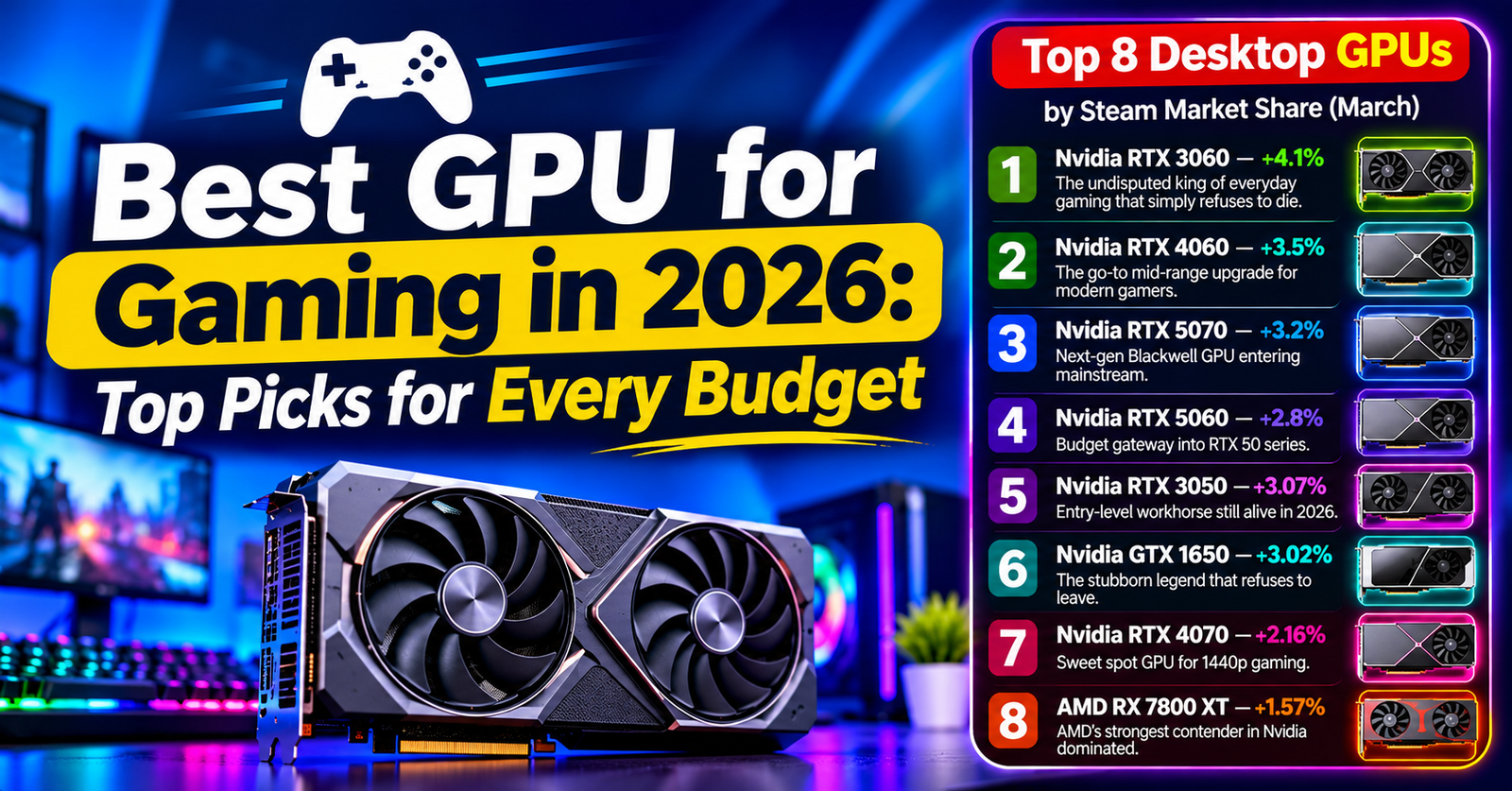
Ask ten PC gamers for the best GPU for gaming and you’ll get at least six answers. That isn’t because nobody knows. It’s because “best” depends on three things: the resolution you play at, how much you can spend, and which games you actually run.
So here’s the short answer first, then we’ll work through the reasoning.
Quick answer: For most gamers in late 2026, a 16GB card like the AMD Radeon RX 9070 XT or NVIDIA GeForce RTX 5070 Ti is the best gaming GPU. Either one handles 1440p at high refresh rates and holds up well at 4K. The RTX 5090 is the fastest gaming card you can buy, but it costs far more than it’s worth for most people. On a tight budget, the Intel Arc B580 and Radeon RX 9060 XT 16GB are the smartest 1080p picks.
Best Gaming GPUs at a Glance
| GPU | VRAM | Launch price (MSRP) | Best for |
|---|---|---|---|
| GeForce RTX 5090 | 32GB GDDR7 | $1,999 | 4K max settings, no compromises |
| GeForce RTX 5080 | 16GB GDDR7 | $999 | High-refresh 4K |
| GeForce RTX 5070 Ti | 16GB GDDR7 | $749 | 1440p ultra and entry 4K |
| Radeon RX 9070 XT | 16GB GDDR6 | $599 | Best value for 1440p |
| GeForce RTX 5070 | 12GB GDDR7 | $549 | 1440p with DLSS |
| Radeon RX 9070 | 16GB GDDR6 | $549 | Efficient 1440p |
| Radeon RX 9060 XT 16GB | 16GB GDDR6 | $349 | High-settings 1080p, light 1440p |
| GeForce RTX 5060 Ti 16GB | 16GB GDDR7 | $429 | 1080p and 1440p with DLSS |
| Intel Arc B580 | 12GB GDDR6 | $249 | Budget 1080p |
A note on prices: launch prices are one thing, and what you’ll pay in a store right now is another. GPU street prices have climbed a long way above MSRP this year. In Tom’s Hardware’s tracking, the RTX 5070 Ti’s median street price was around $1,099 against a $749 MSRP, and the RX 9070 XT sat near $759 against $599. The top end is even worse. One Newegg price report found the cheapest new RTX 5090 listed at $6,199.99 on November 13, 2026, more than three times its $1,999 list price. Check current prices before you buy. A card that’s a bargain at MSRP can be a poor deal at street price.
How to Choose the Best GPU for Gaming
Before you look at specific models, settle a few things. Doing this first saves you from overspending on performance your monitor can’t show, or underspending and regretting it within a year.
Start With Your Monitor Resolution
Resolution is the single biggest factor in which GPU you need. Every step up multiplies the pixels your card has to render each frame:
- 1080p (1920×1080): about 2.1 million pixels
- 1440p (2560×1440): about 3.7 million pixels
- 4K (3840×2160): about 8.3 million pixels
4K is four times the work of 1080p. That’s why a card that runs a game at 140 fps in 1080p might struggle to hold 60 fps at 4K. If you’re on a 1080p monitor, buying an RTX 5090 is like putting a jet engine on a bicycle. Your CPU will hold it back long before the GPU breaks a sweat.
Match Refresh Rate to Your Goals
A 60Hz monitor only displays 60 frames per second, no matter how many your GPU produces. A 144Hz or 240Hz monitor is where faster cards earn their price. Competitive players in Valorant, Counter-Strike 2 or Fortnite care about high frame rates. Story-game players chasing ray-traced visuals in Cyberpunk 2077 or Alan Wake 2 usually care more about image quality at a steady 60 to 90 fps.
How Much VRAM Do You Need for Gaming?
VRAM is the graphics card’s own memory, where it stores textures, geometry and frame data. When a game needs more VRAM than your card has, you get stutter, texture pop-in, and sometimes crashes.
Here’s a practical guide for 2026:
- 8GB: Still workable for 1080p at medium to high settings, but it’s the bare minimum now. Several recent releases already push past 8GB at high texture settings.
- 12GB: Comfortable for 1080p and fine for most 1440p gaming.
- 16GB: The safe choice for 1440p and 4K, and the best bet if you plan to keep the card for four years or more.
- 24 to 32GB: Overkill for gaming alone. It helps if you also run local AI models or do heavy 3D work.
If you’re stuck between an 8GB and 16GB version of the same card, like the RX 9060 XT or RTX 5060 Ti, the 16GB version is almost always worth the extra money. We cover this in more depth in our guide to how much VRAM you need.
NVIDIA vs AMD vs Intel: Which Brand Is Better?
There’s no winning brand, only a better fit for your needs.
NVIDIA (GeForce RTX 50 series) leads in ray tracing and upscaling. DLSS is still the most mature upscaler, and Multi Frame Generation (MFG) on RTX 50 cards can multiply frame rates in supported games. If you play a lot of path-traced or heavily ray-traced games, NVIDIA has the edge.
AMD (Radeon RX 9000 series) usually gives more raw performance and more VRAM for the money. The RDNA 4 cards closed much of the ray tracing gap with NVIDIA, and FSR 4 is a real step up from earlier FSR versions. For pure value at 1440p, AMD is very hard to beat.
Intel (Arc B-series) competes at the budget end. The Arc B580 offers 12GB of VRAM at a price where rivals often give you 8GB. Driver support has improved a lot, though older DirectX 9 and DirectX 11 games can still be less consistent than on AMD or NVIDIA.
Upscaling and Frame Generation: Why They Matter
Upscalers render a game at a lower resolution, then use AI or other algorithms to rebuild a sharper image at your monitor’s resolution. The result is much higher frame rates with only a small loss in image quality.
- NVIDIA DLSS: Supported in the most games, with the best image quality overall. Frame generation and Multi Frame Generation are available on RTX 40 and RTX 50 cards.
- AMD FSR 4: Machine-learning based upscaling for RX 9000 cards, and a big improvement over FSR 3.
- Intel XeSS: Works well on Arc cards and runs on other brands’ hardware too.
One honest caveat: frame generation boosts the frame counter, but it doesn’t reduce input lag the way a native high frame rate does. It works best when your base frame rate is already around 50 to 60 fps.
Check Your Power Supply and Case
High-end GPUs are big and power hungry. The RTX 5090 is rated at 575W of board power on its own. Before buying, check three things:
- PSU wattage and connectors. Many new cards use the 12V-2×6 (16-pin) connector. Our guide on what PSU you need for your GPU breaks this down by card.
- Card length and thickness. Some flagship cards are over 330mm long and take up three or more slots.
- Weight. Heavy cards can sag over time. A GPU support bracket is cheap insurance.
Don’t Ignore Your CPU
Pair a fast GPU with an old CPU and you’ll hit a CPU bottleneck, especially at 1080p. A Ryzen 7 9800X3D or a similar current chip gets the most out of a high-end card. A Ryzen 5 or Core i5 from the last couple of generations is fine for midrange cards. If you aren’t sure whether your system is balanced, see our CPU bottleneck guide.
Best GPUs for Gaming in 2026, Reviewed
Best Overall GPU for Most Gamers: Radeon RX 9070 XT
If I had to recommend one card to a friend building a 1440p gaming PC, this would be it. The RX 9070 XT pairs 16GB of VRAM with performance close to the RTX 5070 Ti in traditional rasterized games, at a noticeably lower launch price.
Why it stands out:
- Strong 1440p performance at high refresh rates in nearly every modern game
- Capable 4K performance with FSR 4 enabled
- 16GB of VRAM gives it plenty of headroom for future games
- Much better ray tracing than AMD’s previous generation
Things to keep in mind: NVIDIA still wins in heavy path-tracing workloads, and DLSS is supported in more games than FSR 4. It also draws around 300W, so pair it with a quality 750W or larger PSU.
Best for: 1440p high-refresh gaming and value-focused 4K.
Best NVIDIA Card for 1440p and 4K: GeForce RTX 5070 Ti
The RTX 5070 Ti is the card for gamers who want NVIDIA’s full feature set without paying flagship prices. Tom’s Hardware ranks it as its top high-end pick for gamers who want strong performance and the latest graphics tech for 1440p or 4K.
Why it stands out:
- 16GB of fast GDDR7 memory
- Excellent ray tracing performance
- Access to DLSS 4.5 and Multi Frame Generation
- Smooth 4K gaming when paired with DLSS
Things to keep in mind: Street prices have drifted well above its $749 MSRP. If the price gap with the RX 9070 XT grows too large, the AMD card becomes the better buy for most people.
Best for: Ray tracing fans and anyone who wants DLSS in a 1440p or 4K build.
Fastest Gaming GPU Available: GeForce RTX 5090
Nothing beats the RTX 5090 in raw gaming performance. With 32GB of GDDR7 and NVIDIA’s top Blackwell chip, it handles 4K at max settings, including path tracing, with headroom to spare.
Why it stands out:
- The highest frame rates of any consumer GPU
- 32GB of VRAM, which is also useful for AI and creative work
- Full DLSS 4.5 and Multi Frame Generation support
Things to keep in mind: The 575W power rating calls for a 1000W-class PSU and a case with excellent airflow. Its street price is also extreme right now. For pure gaming, the RTX 5080 or RTX 5070 Ti gives you most of the experience for far less money.
Best for: 4K 240Hz gaming, enthusiasts with no budget limit, and gamers who also run local AI models.
Best High-End Alternative: GeForce RTX 5080
The RTX 5080 sits between the 5070 Ti and the 5090. It’s a strong 4K card with 16GB of GDDR7. The catch is that its lead over the RTX 5070 Ti is smaller than the price difference suggests. Buy it if you find it close to MSRP and want high-refresh 4K. Otherwise, the 5070 Ti is the smarter spend.
Best for: 4K gaming at high settings with DLSS.
Best Mid-Range NVIDIA Card: GeForce RTX 5070
The RTX 5070 is a capable 1440p card, especially with DLSS turned on. Its weak spot is 12GB of VRAM, which is enough for today but leaves less room than the 16GB RX 9070 at a similar launch price. If you mostly play esports titles and well-optimized games, it’s a solid choice.
Best for: 1440p gaming with DLSS on a mid-range budget.
Best Efficient 1440p Card: Radeon RX 9070
The non-XT RX 9070 uses noticeably less power than the XT while keeping 16GB of VRAM. It’s a great match for smaller cases, quieter builds, or anyone who doesn’t want to upgrade their PSU.
Best for: Compact or quiet 1440p builds.
Best Budget GPU for 1080p: Radeon RX 9060 XT 16GB
For high-settings 1080p gaming, the 16GB RX 9060 XT is the card to beat in its price range. The extra VRAM means you won’t have to drop texture quality in demanding new releases, and it can handle lighter 1440p gaming too.
Avoid the 8GB version if you can stretch your budget. The price gap is small, and the 16GB model will age far better.
Best for: 1080p high settings and entry-level 1440p.
Best Value NVIDIA Budget Pick: GeForce RTX 5060 Ti 16GB
If you want DLSS on a budget, the 16GB RTX 5060 Ti is the one to look at. It’s a good 1080p card that stretches to 1440p in many games with DLSS. Like the RX 9060 XT, skip the 8GB version.
Best for: Budget builds that want NVIDIA features.
Best Cheap Graphics Card: Intel Arc B580
The Arc B580 is the most interesting budget option on the market. You get 12GB of VRAM for around $249 at launch pricing, which is more memory than most competitors offer at this tier. It plays modern games well at 1080p.
Things to keep in mind: Arc cards rely on Resizable BAR, so check that your motherboard supports it and that it’s enabled. Performance on older CPUs and some older games is less consistent than on AMD and NVIDIA.
Best for: Budget 1080p builds on modern platforms.
Best GPU for Gaming by Resolution
Best GPU for 1080p Gaming
At 1080p, you don’t need a high-end card. The RX 9060 XT 16GB, RTX 5060 Ti 16GB and Arc B580 all deliver smooth high-settings gameplay. If you play competitive shooters on a 240Hz monitor, step up to the RX 9070 for higher frame rates.
Best GPU for 1440p Gaming
1440p is the sweet spot for most gamers in 2026. The RX 9070 XT offers the best value, and the RTX 5070 Ti is the best pick if you want ray tracing and DLSS. The RX 9070 and RTX 5070 are solid if your budget is a little tighter.
Best GPU for 4K Gaming
For true 4K at high settings, look at the RTX 5090, RTX 5080 or RTX 5070 Ti. The RX 9070 XT handles 4K well with upscaling, but NVIDIA cards hold a clear lead in demanding ray-traced games at this resolution.
Should You Buy a Used or Last-Gen GPU?
A used RTX 4070 Super, RTX 4080 or RX 7900 XT can be a great deal, especially while new card prices are inflated. Buy carefully, though:
- Ask for proof that the card runs stable under load and that temperatures look normal. Our GPU temperature chart shows typical ranges.
- Look for signs of GPU artifacting, such as flickering, colored dots or broken textures.
- Check whether any warranty remains and whether it transfers to a second owner.
- Be cautious with cards that were used for crypto mining or AI workloads and show heavy fan wear.
Older cards also miss newer features. RTX 40 cards support DLSS frame generation but not Multi Frame Generation, and FSR 4 is focused on RX 9000 cards.
When Is the Best Time to Buy a Gaming GPU?
Honestly, prices are the biggest problem in the GPU market right now. Memory supply has been tight through 2026, and that has pushed many cards far above their launch prices. A few tips:
- Set price alerts instead of buying on impulse.
- Compare the street price to MSRP. Paying 10 to 15% over is common right now. Paying double rarely makes sense.
- If your current card still runs your games acceptably, waiting a few months is a reasonable option.
- Don’t ignore a well-priced previous-generation card.
Frequently Asked Questions
What is the best GPU for gaming right now?
For most gamers, the Radeon RX 9070 XT or GeForce RTX 5070 Ti is the best choice. Both offer 16GB of VRAM and strong 1440p performance, and both handle 4K with upscaling. The RTX 5090 is the fastest card overall, but its price puts it out of reach for most buyers.
Is the RTX 5090 worth it for gaming?
Only if you game at 4K with a very high refresh rate, or you also do AI and creative work that needs 32GB of VRAM. For most players, an RTX 5080 or RTX 5070 Ti gives you most of the experience for much less money and power.
Is AMD or NVIDIA better for gaming?
AMD usually gives more performance and VRAM per dollar in traditional rasterized games. NVIDIA leads in ray tracing and has the most widely supported upscaler in DLSS. Choose AMD for value and NVIDIA for features and heavy ray tracing.
Is 8GB VRAM enough for gaming in 2026?
It works for 1080p at medium to high settings, but it’s no longer comfortable. Some new games exceed 8GB at high texture settings, which causes stuttering. If you’re buying new, a 12GB or 16GB card is a much safer long-term choice.
What is the best budget GPU for gaming?
The Intel Arc B580 and Radeon RX 9060 XT 16GB are the best budget options. The Arc B580 is cheaper and has 12GB of VRAM. The RX 9060 XT 16GB is a bit faster and more consistent across older games.
Which GPU is best for 1440p gaming?
The Radeon RX 9070 XT is the best value for 1440p. The RTX 5070 Ti is the best choice if you want stronger ray tracing and DLSS. Both run modern games at high settings and high refresh rates.
Does a better GPU increase FPS in every game?
Not always. In CPU-heavy games, or at 1080p with a very fast card, your processor can become the limit. In that case, a faster GPU barely changes your frame rate. Check GPU usage while gaming. If it sits well below 95%, your CPU is likely the bottleneck.
How long does a gaming graphics card last?
Physically, most graphics cards last many years with normal use and good cooling. For gaming performance, a mid-range card usually stays comfortable for about 3 to 5 years before you need to lower settings in new games. We cover this in detail in our guide on how long GPUs last.
What PSU do I need for a gaming GPU?
It depends on the card. A budget card like the Arc B580 runs fine on a quality 550W unit. An RX 9070 XT or RTX 5070 Ti calls for a 750W PSU. An RTX 5090 needs a 1000W-class unit. Always follow the card maker’s recommendation and buy from a reputable PSU brand.
Is ray tracing worth it?
In some games, yes. Path-traced titles like Cyberpunk 2077 and Alan Wake 2 look dramatically better with ray tracing on. In many other games, the difference is subtle while the performance hit is large. If ray tracing matters to you, an NVIDIA RTX card is the safer pick.
Should I wait for the next generation of GPUs?
If your current card still runs your games acceptably, waiting is reasonable, especially while prices are inflated. If you’re building a new PC or your card is failing, buy now. There is always something new around the corner, and waiting forever means never playing.
Do I need PCIe 5.0 for a new GPU?
No. Current GPUs lose very little performance on PCIe 4.0, and most cards work fine on PCIe 3.0 too. Budget cards with fewer PCIe lanes are more sensitive to older slots. Our PCIe 4.0 vs 5.0 guide explains when it matters.
Final Verdict
The best GPU for gaming is the one that matches your monitor, your budget, and the games you play.
- Best overall value: Radeon RX 9070 XT
- Best NVIDIA all-rounder: GeForce RTX 5070 Ti
- Fastest gaming GPU: GeForce RTX 5090
- Best budget pick: Radeon RX 9060 XT 16GB or Intel Arc B580
Whatever you choose, aim for at least 12GB of VRAM, ideally 16GB. Make sure your PSU and case can handle the card, and compare the street price against MSRP before you check out. A great card at a bad price is still a bad deal.

[…] stream processors, what the numbers mean on real cards, and how to use them when you are buying a GPU for gaming, editing, 3D work or […]