





A GPU (Graphics Processing Unit) generates heat whenever it processes graphics, games, videos, or AI workloads. Understanding the normal GPU temperature range is important because excessive heat can affect performance, stability, and the lifespan of your graphics card.
Many users become worried when they see their GPU reaching 75°C, 80°C, or even higher during gaming. However, modern graphics cards from NVIDIA, AMD, and Intel are designed to operate safely at temperatures that would have been considered high years ago.
This guide explains normal GPU temperatures, safe temperature ranges, overheating signs, cooling methods, and everything else you need to know.
What Is a Normal GPU Temperature?
A normal GPU temperature depends on several factors, including:
- GPU model
- Cooling system
- Room temperature
- Workload
- Case airflow
- Fan configuration
Because every graphics card is different, there is no single “perfect” temperature. Instead, manufacturers design GPUs to operate safely within a specific temperature range.
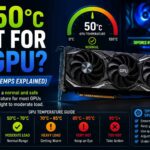
General GPU Temperature Chart
| Usage Scenario | Normal Temperature |
|---|---|
| Idle | 30°C – 50°C |
| Web Browsing | 35°C – 55°C |
| Watching Videos | 40°C – 60°C |
| Light Gaming | 50°C – 70°C |
| Modern Gaming | 60°C – 85°C |
| Heavy Workloads | 70°C – 90°C |
| Potentially Dangerous | Above 90°C |
For most gamers, seeing temperatures between 65°C and 80°C during gaming is completely normal.
Why GPUs Produce Heat
Every graphics card contains millions or even billions of transistors.
When these transistors perform calculations, they consume electricity and generate heat. The harder the GPU works, the more power it uses and the more heat it produces.
Tasks that increase GPU temperature include:
- Playing AAA games
- Video editing
- 3D rendering
- Streaming
- AI workloads
- Cryptocurrency mining
- Running multiple monitors
A graphics card under heavy load can consume hundreds of watts of power, which naturally produces significant heat.
Normal GPU Temperature at Idle
Idle temperature refers to the GPU temperature when the computer is doing very little work.
Examples include:
- Sitting on the desktop
- Reading emails
- Web browsing
- Office applications
Typical Idle Temperatures
| Environment | Temperature |
|---|---|
| Cool Room | 30°C – 40°C |
| Average Room | 35°C – 45°C |
| Warm Room | 40°C – 50°C |
Many modern GPUs use Zero RPM technology.
This feature stops the fans completely when the GPU is cool enough. As a result, temperatures around 45°C or even 50°C while idle are often normal.
Normal GPU Temperature While Gaming
Gaming places the highest load on most consumer graphics cards.
During gaming, the GPU processes:
- Textures
- Shadows
- Lighting
- Reflections
- Ray tracing effects
- Physics calculations
Because of this workload, temperatures rise significantly.
Safe Gaming Temperature Range
| Temperature | Status |
|---|---|
| Under 60°C | Excellent |
| 60°C – 70°C | Very Good |
| 70°C – 80°C | Normal |
| 80°C – 85°C | Acceptable |
| 85°C – 90°C | High but Usually Safe |
| Above 90°C | Requires Attention |
Most modern GPUs spend a large portion of gaming sessions between 70°C and 85°C.
GPU Temperature by Manufacturer
NVIDIA GPU Temperature
Modern GeForce GPUs are designed to handle relatively high temperatures.
Typical NVIDIA Temperatures
- Idle: 30°C – 50°C
- Gaming: 65°C – 85°C
- Maximum Safe Range: Around 90°C
High-end GPUs often run warmer because they consume more power.
AMD GPU Temperature
AMD graphics cards often report both core temperature and hotspot temperature.
Typical AMD temperatures:
- Idle: 30°C – 50°C
- Gaming: 65°C – 85°C
- Hotspot: Up to 100°C or more in some models
The hotspot temperature can appear alarming but is often within AMD’s specifications.
Intel Arc GPU Temperature
Intel Arc GPUs generally operate within similar temperature ranges.
Expected temperatures:
- Idle: 30°C – 45°C
- Gaming: 60°C – 80°C
What Is GPU Hotspot Temperature?
Many modern graphics cards monitor multiple sensors across the GPU chip.
Core Temperature
Measures the average GPU temperature.
Example:
- Core Temperature: 72°C
Hotspot Temperature
Measures the hottest location on the GPU die.
Example:
- Hotspot Temperature: 90°C
A hotspot temperature that is 10°C–20°C higher than the core temperature is generally normal.
What Temperature Is Too High for a GPU?
A GPU becomes concerning when temperatures remain above safe operating limits.
Warning Signs
- Temperatures above 90°C
- FPS drops
- Random crashes
- Screen flickering
- Driver failures
- Loud fan noise
- Black screens
Modern GPUs protect themselves through thermal throttling.
What Is Thermal Throttling?
Thermal throttling is a safety feature.
When temperatures become too high, the graphics card automatically lowers:
- Clock speed
- Voltage
- Performance
This reduces heat generation and prevents hardware damage.
Example
Normal Clock:
- 2800 MHz
Throttled Clock:
- 2400 MHz
The result is lower temperatures but also lower FPS.
Factors That Affect GPU Temperature
Room Temperature
The temperature of your room has a direct impact on GPU cooling.
Example
Room Temperature:
- 20°C → Cooler GPU
Room Temperature:
- 35°C → Hotter GPU
A hotter room can increase GPU temperatures by 5°C–15°C.
Case Airflow
Poor airflow traps heat inside the PC case.
Good airflow allows cool air to enter and hot air to leave.
Recommended Airflow Setup
Front:
- Intake fans
Rear:
- Exhaust fan
Top:
- Exhaust fans
Dust Buildup
Dust is one of the most common causes of high GPU temperatures.
Dust blocks:
- Fans
- Heat sinks
- Air filters
This reduces cooling efficiency significantly.
Fan Speed
GPU fans help remove heat from the graphics card.
Low fan speeds often lead to:
- Higher temperatures
- Increased hotspot temperatures
Custom fan curves can improve cooling performance.
Thermal Paste
Thermal paste transfers heat from the GPU chip to the cooler.
Over time, thermal paste may dry out and lose effectiveness.
Symptoms include:
- Increasing temperatures
- Higher fan speeds
- Reduced cooling performance
How to Reduce GPU Temperature
Improve Airflow
Better airflow is often the easiest solution.
Steps include:
- Add more case fans
- Remove cable clutter
- Clean dust filters
- Improve fan placement
Clean the GPU
Regular cleaning can reduce temperatures by several degrees.
Use:
- Compressed air
- Air blower
- Soft brush
Avoid vacuum cleaners and liquids.
Adjust Fan Curves
Software such as:
- MSI Afterburner
- AMD Adrenalin
- ASUS GPU Tweak
allows custom fan control.
A more aggressive fan curve can reduce temperatures significantly.
Undervolt the GPU
Undervolting reduces voltage while maintaining similar performance.
Benefits include:
- Lower temperatures
- Lower power consumption
- Reduced fan noise
Many modern GPUs can run 5°C–15°C cooler after proper undervolting.
Replace Thermal Paste
Older GPUs may benefit from fresh thermal paste.
Replacing old paste can improve heat transfer and reduce temperatures.
Does Higher GPU Temperature Affect FPS?
Yes, but only when temperatures become excessive.
Example
GPU at 70°C:
- Full performance
GPU at 80°C:
- Full performance
GPU at 85°C:
- Usually full performance
GPU at 95°C:
- Possible throttling
Once thermal throttling begins, FPS may drop noticeably.
Common GPU Temperature Myths
Myth 1: 80°C Is Dangerous
False.
Most modern GPUs can safely operate around 80°C during gaming.
Myth 2: GPU Fans Should Always Spin
False.
Many graphics cards stop fans at idle temperatures.
Myth 3: Lower Temperature Always Means More FPS
Not necessarily.
A GPU running at 65°C and another running at 75°C may perform identically.
Myth 4: Hotspot Temperature Should Match Core Temperature
False.
Hotspot temperatures are normally higher.
Best GPU Temperature for Long-Term Health
For the best balance between performance and hardware longevity:
Ideal Targets
- Idle: 30°C–45°C
- Gaming: 65°C–80°C
- Heavy Workloads: Under 85°C
- Hotspot: Under 95°C
Maintaining these temperatures helps ensure stable performance and reliable operation.
Conclusion
A normal GPU temperature is typically between 30°C and 50°C at idle and 60°C to 85°C during gaming. Modern graphics cards from NVIDIA, AMD, and Intel are designed to handle these temperatures safely. If your GPU regularly exceeds 90°C, improve airflow, clean dust buildup, adjust fan settings, or consider undervolting to prevent thermal throttling and maintain optimal performance.
FAQs
What is a normal GPU temperature while gaming?
A normal gaming temperature ranges from 60°C to 85°C depending on the graphics card and cooling system.
Is 80°C safe for a GPU?
Yes, 80°C is considered safe for most modern GPUs during gaming and heavy workloads.
What GPU temperature is too high?
Temperatures above 90°C for extended periods may indicate cooling issues and can lead to thermal throttling.
Is 50°C normal for an idle GPU?
Yes, many graphics cards idle between 30°C and 50°C, especially those with fan-stop technology.
Does GPU temperature affect performance?
Only when temperatures become excessive. High temperatures can trigger thermal throttling, reducing clock speeds and FPS.